Back to Blog
OCI Dynamic Routing Gateway Setup Step-by-Step for Hybrid Networking

OCI Dynamic Routing Gateway Setup Step-by-Step for Hybrid Networking

   Mariusz Antonik    Oracle Cloud (OCI)    3 min read    489 views

1. Introduction

The Dynamic Routing Gateway (DRG) is the heart of hybrid networking in OCI.
If you're connecting an on-prem network, another cloud provider, or multiple VCNs — the DRG is the router that ties it all together.

In this guide, I’ll show you exactly how to set it up, test it, and validate routing end-to-end.


2. What Problem This Solves

Without the DRG:

❌ On-prem cannot reach OCI
❌ Site-to-site VPN won’t work
❌ FastConnect can’t attach
❌ Cross-VCN routing becomes messy
❌ VCN peering becomes inconsistent

With a DRG:

✅ Centralized routing
✅ Multiple VCN attachments
✅ VPN or FastConnect integration
✅ Inspection and monitoring

Let's build it properly.


3. Step-by-Step Guide


Step 1 — Create DRG

OCI Console → Networking → Dynamic Routing Gateways → Create DRG

CLI:

 
oci network drg create \ --compartment-id <COMPARTMENT_OCID> \ --display-name "main-drg"

Step 2 — Attach VCN to DRG

Console → DRG → Attachments → Create Attachment

CLI:

 
oci network drg-attachment create \ --drg-id <DRG_OCID> \ --vcn-id <VCN_OCID> \ --display-name "vcn-attachment"

Step 3 — Create and Configure Route Tables

VCN → Route Tables → Create New Route Table

Add rule:

 
Destination Type: DRG Destination: <ON_PREM_CIDR> Target: DRG Attachment

CLI:

 
oci network route-table update \ --rt-id <RT_OCID> \ --route-rules '[ {"cidrBlock":"192.168.0.0/16","networkEntityId":"<DRG_ATTACHMENT_OCID>"} ]'

Step 4 — Configure IPSec VPN (Optional)

Create Customer-Premise Equipment (CPE):

 
oci network cpe create \ --display-name "my-cpe" \ --ip-address <ON_PREM_PUBLIC_IP>

Create IPSec tunnel:

 
oci network ip-sec-connection create \ --cpe-id <CPE_OCID> \ --drg-id <DRG_OCID> \ --static-routes '["0.0.0.0/0"]'

Step 5 — Validate Routing with Traceroute

From on-prem:

 
traceroute 10.0.2.10

From OCI compute:

 
sudo traceroute 192.168.1.10

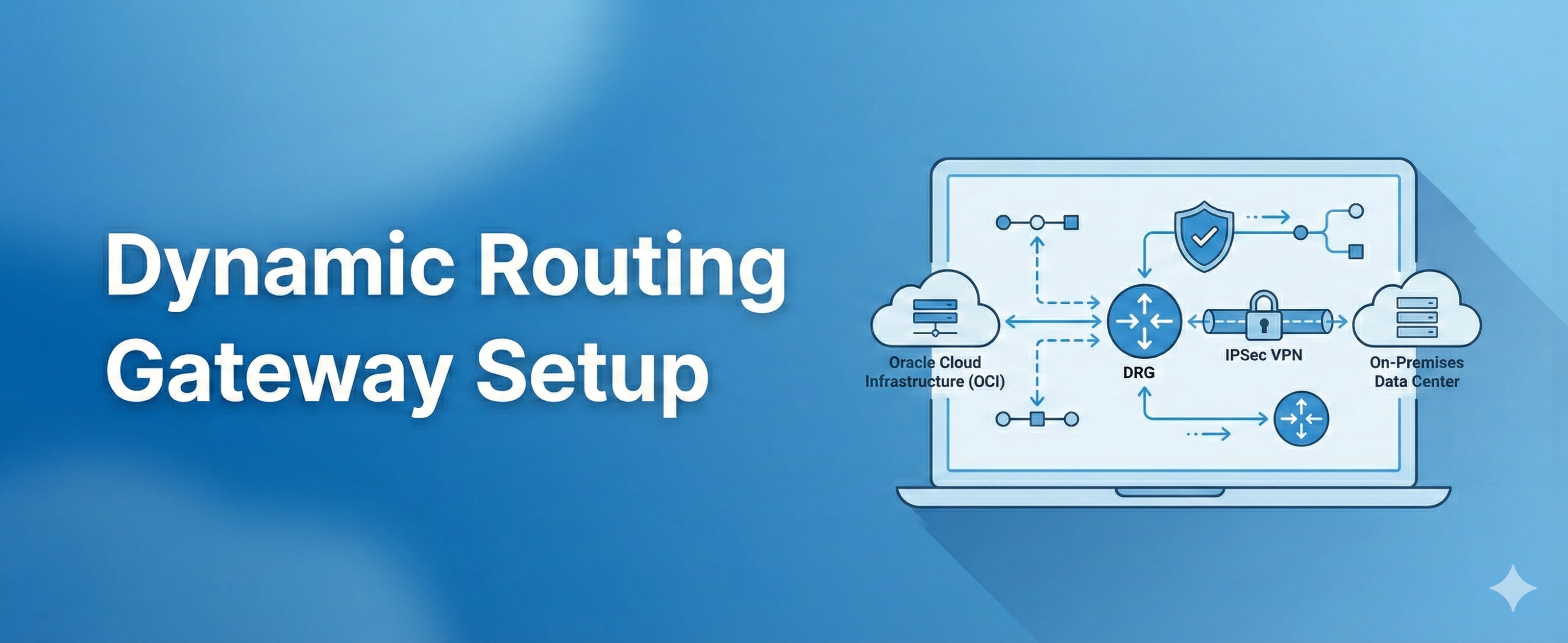
4. Architecture Diagram

(Generated in next message)

Placeholder:

 
On-Prem Network ---- IPSec ---- DRG ---- VCN A \---- VCN B

5. Best Practices

  • Use separate DRG route tables for each VCN attachment

  • Avoid overlapping CIDRs

  • Use HA VPN (tunnel 1 + tunnel 2)

  • Consider FastConnect for production

  • Enable logging on the DRG

  • Use Network Path Analyzer for troubleshooting


6. Troubleshooting

Issue Cause Fix
Ping not working ICMP blocked Enable ICMP in NSG
VPN down Phase 1 mismatch Adjust IKE settings
Route unreachable Wrong RT target Point to DRG attachment
Slow performance MTU mismatch Adjust MTU to 1500/1400

7. Summary

The DRG allows you to build reliable hybrid networks in OCI.
With the configuration above, you can connect multiple VCNs and even full on-prem infrastructure using VPN or FastConnect.

👉 Download the free guide: “7 OCI Networking Mistakes to Avoid”
https://dmcloudarchitect.com/c/7_oci_mistakes_to_avoid.html


About the Author
Mariusz Antonik

Oracle Cloud Infrastructure expert and consultant specializing in database management and automation.

All Tags
#Advanced #Bash #bash cpu monitoring script #bash monitoring #bash scripting #Beginner #Best Practices #block volume backup #Capacity Planning #cloud backup strategy #cpu bottleneck #CPU Monitoring #cpu monitoring linux #cpu monitoring script linux #cpu trends #cpu usage trends linux #create oracle db system in oci #cron cpu monitoring #cron cpu monitoring linux #cron jobs #database monitoring #database performance #detect slow queries mysql #disk capacity planning server #disk forecasting linux #Disk Monitoring #disk usage #disk usage script linux #disk usage trends #Early Detection #easy infrastructure monitoring #free-tier #Guide #health dashboards #Health Reporting #historical server monitoring #how to monitor cpu usage linux #infrastructure #infrastructure health #infrastructure health dashboard #infrastructure health reporting #infrastructure monitoring #infrastructure monitoring report #infrastructure trends monitoring #Infrastructure Visibility #lightweight linux monitoring #lightweight monitoring #linux administration #linux cpu monitoring #linux cpu usage #linux disk capacity planning #linux disk usage #Linux monitoring #linux monitoring tools #linux performance #linux performance monitoring #linux server #linux server monitoring #linux servers #linux storage #linux tools #low maintenance monitoring #monitor cpu usage over time linux #monitor linux server health #monitor server trends #monitor small production server #monitoring without complexity #MySQL #mysql health reporting #MySQL monitoring #mysql optimization #MySQL Performance #mysql performance degradation #mysql performance monitoring #mysql performance trends #mysql query performance issues #mysql server monitoring #mysql slow queries #mysql slow query analysis #mysql slow query monitoring #mysql trends #mysql-health #networking #nsg #OCI #oci backup #oci bastion tutorial #oci block volume #oci infrastructure as code #oci networking #oci oracle database private subnet setup #oci oracle database tutorial #oci security #oci setup guide #oci terraform tutorial #oci tutorial for beginners #oci vcn terraform #oci virtual machine db system guide #oracle base database service tutorial #oracle cloud bastion #oracle cloud free tier tutorial #oracle cloud infrastructure step by step #oracle cloud infrastructure tutorial #oracle cloud storage #oracle database on oci setup #oracle-cloud #Performance Degradation #performance monitoring #performance trend monitoring #performance trends #plan disk growth server #practical server monitoring #predict disk usage growth #private instance access #query optimization #Security #security lists #server health #server health reporting #server health weekly report #server monitoring #Server Performance #server trend analysis #server-trends #simple cpu monitoring linux #simple linux monitoring #simple monitoring system #simple ops monitoring #slow queries #slow query reporting mysql #small business infrastructure #small business IT #small business servers #small infrastructure monitoring #small server monitoring #ssh bastion #storage capacity planning linux #storage monitoring #subnets #system health reporting #terraform oci compute #terraform oracle cloud infrastructure #Trend Monitoring #Tutorial #vcn