1. Introduction
In this guide, I’ll take you through a deep technical walkthrough of building a Virtual Cloud Network (VCN) in Oracle Cloud Infrastructure. If you’re a small business owner, developer, or network engineer, this is the foundation of everything you will ever deploy in OCI.
A poorly designed VCN creates ongoing problems—slow services, blocked traffic, security exposures, and troubleshooting nightmares. A well-designed VCN gives you speed, visibility, and a rock-solid security posture.
2. What Problem This Solves
Most new OCI tenants suffer from:
-
VCN scattered across random subnets
-
Missing route table entries
-
Wide-open 0.0.0.0/0 firewall rules
-
Unnecessary exposure of compute instances
-
No compartment or regional structure
This post solves exactly that—a clean, secure, production-ready VCN setup.
3. Step-by-Step Guide
Step 1 — Create the VCN
OCI Console → Networking → Virtual Cloud Networks → Create VCN
Recommended CIDR:
CLI
Step 2 — Create Subnets
Recommended structure:
| Subnet | CIDR | Type | Purpose |
|---|---|---|---|
| public-lb | 10.0.10.0/24 | Public | Load balancers |
| app-private | 10.0.20.0/24 | Private | App servers |
| db-private | 10.0.30.0/24 | Private | Databases |
CLI
Step 3 — Create Gateways
Internet Gateway
NAT Gateway
Service Gateway (important for DB + Object Storage)
Step 4 — Configure Route Tables
App subnet route:
Step 5 — Secure Network with Security Lists
Example security list:
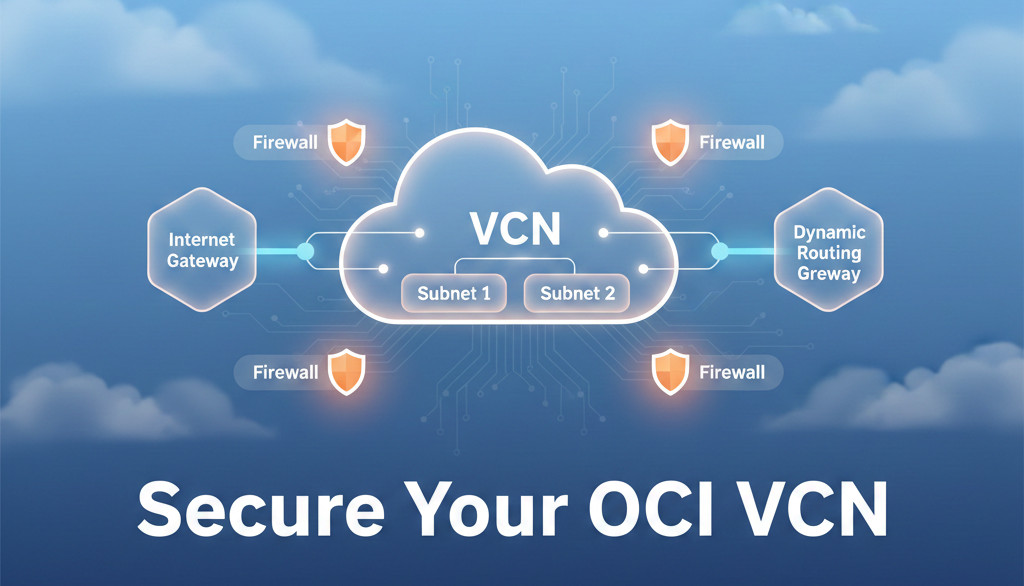
4. Architecture Diagram
5. Best Practices
-
Never assign public IPs to compute unless absolutely required
-
Prefer NAT Gateway for outbound traffic
-
Use network security groups instead of security lists for large deployments
-
Create dedicated compartments per environment:
prod,qa,dev -
Always use private subnets for databases
-
Enable VCN Flow Logs for troubleshooting
6. Common Errors / Troubleshooting
| Error | Cause | Fix |
|---|---|---|
| Cannot SSH to compute | Public subnet missing | Move instance or add public IP |
| Database cannot reach Object Storage | No Service Gateway route | Add route entry |
| App cannot reach DB | Security list blocking port | Add TCP port 3306/1521 rule |
| Server has no internet | Missing NAT route | Update route table |
7. Summary
You now have a complete, secure, and scalable VCN design ready for production or Always Free Tier environments. This is the backbone of every OCI deployment—compute, databases, load balancers, OKE, and more.
Since this is a networking-related post, CTA = Lead Magnet
👉 Download my free guide:
7 OCI Networking Mistakes to Avoid
https://dmcloudarchitect.com/c/7_oci_mistakes_to_avoid.html