SSH brute-force protection is one of those Linux security tasks that looks simple until it has to run every day without locking out the wrong people. Counting failed logins, blocking noisy IP addresses, and sending notifications can help, but it should be treated as one layer in a wider linux server monitoring and hardening plan. The goal is not just to block attackers; it is to keep access reliable, auditable, and recoverable.
This checklist is for developers, freelance sysadmins, and small business owners evaluating a server-side SSH protection tool or writing their own. It focuses on the practical questions that matter before you trust automation with firewall rules on a production server.
1. Start with SSH hardening before auto-blocking
Auto-blocking is useful, but it should not be the first or only defense. If SSH is exposed with weak defaults, a blocking service may hide symptoms while the underlying access model remains fragile.
- Disable password login where possible: key-based login reduces the value of credential guessing attempts.
- Restrict root access: direct root login should be disabled or tightly limited.
- Limit who can SSH: use allowed users, groups, VPNs, security groups, or known admin IP ranges where practical.
- Keep emergency access documented: console access, backup admin keys, and recovery steps matter if firewall automation blocks a real operator.
A brute-force blocker is strongest when it reduces noise around an already hardened login path. It is weaker when it becomes the main security boundary.
2. Define thresholds around behavior, not just counts
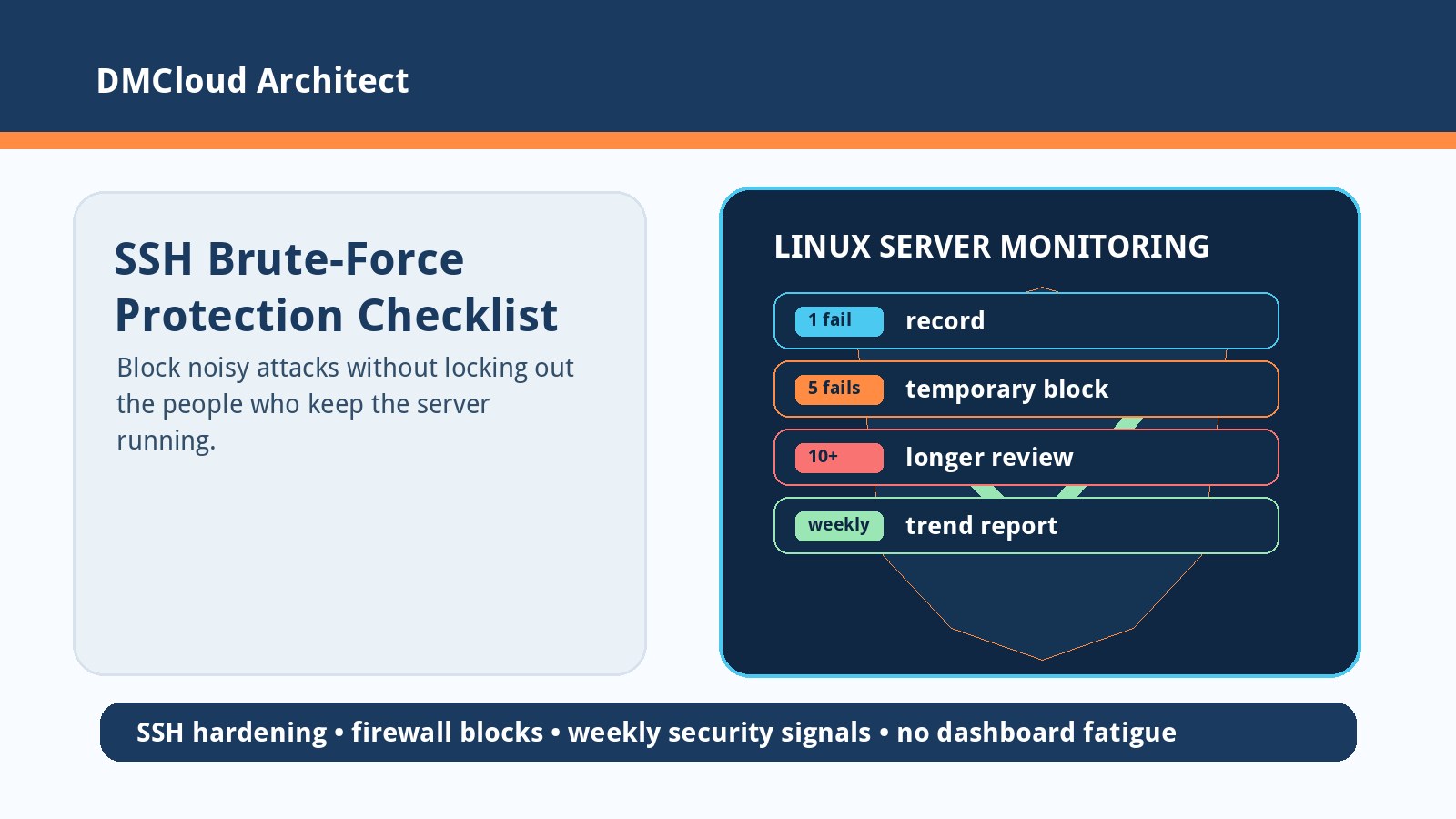
Simple thresholds such as five failed attempts for a temporary block and twenty for a longer block are easy to understand. They also need context, because production login patterns are not always clean.
- Separate invalid usernames from valid-user failures: guessing random accounts is different from repeated failures against a real admin name.
- Track time windows: five failures in one minute should not be treated the same as five failures over several days.
- Handle distributed attempts: attackers often rotate IPs, so per-IP counts alone can miss password spraying patterns.
- Use escalating responses carefully: temporary blocks are safer by default than permanent blocks that accumulate without review.
The right threshold is not the most aggressive one. It is the one that reduces risk without creating operational surprises.
3. Make firewall changes observable and reversible
Any service that writes UFW or firewall rules is changing production access. That means every block should be visible, explainable, and easy to roll back.
- Record the source event: keep the log line, timestamp, username, source IP, threshold crossed, and action taken.
- Add rule comments where supported: comments make manual audits and cleanup less risky.
- Document unblock commands: operators should not have to read source code during an access incident.
- Test restarts: verify that systemd restarts do not duplicate rules, lose state, or forget active blocks.
If the protection tool fails, the server should fail into a known state. Silent rule drift is worse than a noisy log.
4. Plan for attack scenarios the blocker may not cover
SSH brute-force defense helps with one visible class of attack. It does not replace patching, least privilege, application security, or incident response.
- Compromised valid keys: a correct private key may not create failed-login noise.
- Low-and-slow attempts: slow guessing can stay below simple thresholds.
- Distributed spraying: many IP addresses trying one or two passwords each may avoid per-IP blocks.
- Non-SSH exposure: vulnerable web apps, old databases, admin panels, and misconfigured backups still need monitoring.
- Lockout abuse: an attacker can intentionally generate failures from a shared office, VPN, or provider range if allowlists and recovery plans are weak.
This is why brute-force protection belongs inside a broader server health and security review, not as a standalone promise that the server is safe.
5. Keep persistence and cleanup boring
Persistent state is useful because it lets a service remember blocked IPs and prior SSH events after a restart. It also creates maintenance responsibilities.
- Rotate or prune event history: logs and local databases should not grow forever on a small VPS.
- Keep a review queue for permanent blocks: permanent should mean reviewed or clearly justified, not simply old.
- Back up configuration, not noisy event data: thresholds, allowlists, and service config matter more than every historical failed login.
- Expose summary counts: blocked IPs, failed login totals, cleanup activity, and service status should be easy to inspect.
A reliable security service should be dull to operate. If it requires constant babysitting, it becomes another production risk.
6. Treat notifications as reports, not panic buttons
Telegram or chat notifications can be helpful when a real attack is underway, but raw alert streams quickly become noise. Small businesses and solo developers rarely need another dashboard to stare at all day.
- Send immediate alerts only for high-risk changes: new permanent block, repeated valid-user failures, service failure, or allowlist conflict.
- Group routine noise: repeated invalid usernames and commodity scans are better summarized.
- Include context: IP, username, count, time window, action taken, and a suggested next step.
- Review weekly trends: SSH failures, firewall blocks, disk usage, load, uptime, package updates, MySQL health, and backup status together tell a clearer story than isolated alerts.
Weekly infrastructure reports are often a better fit than live dashboards for small teams. They show whether the environment is drifting toward risk without forcing someone to watch every scan hit the logs.
7. Validate the service before trusting it in production
Before deploying an SSH protection service broadly, test it like any other operational control. The most important tests are the ones that prove it will not accidentally block legitimate administration.
- Run in observe-only mode first: record what would be blocked before enabling firewall writes.
- Test from a disposable IP: confirm thresholds, temporary block duration, cleanup, and unblock behavior.
- Test allowlists: make sure trusted access paths do not get blocked by malformed logs or repeated mistakes.
- Test reboot behavior: confirm systemd startup order, persistence, and firewall state after reboot.
- Document the handoff: include config paths, logs, unblock steps, thresholds, and what should be reviewed weekly.
The best SSH brute-force protection is not the most dramatic. It is the one that quietly reduces noise, preserves access, keeps evidence, and fits into a practical linux server monitoring process.
Want weekly Linux security and health checks without dashboard fatigue?
DMCloud Architect sends weekly Linux and MySQL infrastructure health reports directly to your inbox, highlighting SSH risk signals, disk growth, service restarts, database pressure, uptime issues, and practical next steps.
Get the free starter plan for weekly infrastructure health reports.