Back to Blog
CPU Saturation Warning on Linux: Detect Trouble Before Slowdowns

CPU Saturation Warning on Linux: Detect Trouble Before Slowdowns

   Mariusz Antonik    Server Health    3 min read    0 views

High CPU usage on a Linux server is not always a problem. Batch jobs, backups, and short traffic spikes can legitimately consume processor time. The real issue is sustained CPU saturation that starts affecting application response times, queue depth, and overall system stability.

A practical cpu saturation warning linux strategy helps administrators detect performance degradation before users start reporting slow applications. Whether you're managing Oracle workloads, MySQL services, web servers, or shared Linux infrastructure, early warning matters.

What CPU Saturation Actually Means

CPU saturation happens when runnable processes consistently compete for limited CPU resources. This is different from a brief utilization spike. Warning signs include elevated load averages, growing run queues, increased context switching, and user-visible latency.

Common indicators include:

  • Load average consistently exceeding available CPU cores
  • High %user or %system in top or mpstat
  • Steal time in virtualized environments
  • Long application response times despite healthy memory and disk metrics

How to Detect CPU Issues Early on Linux

1. Check Real-Time CPU Pressure

top
htop
mpstat -P ALL 5

Look beyond a single CPU percentage. If multiple cores remain heavily utilized over repeated intervals, you may be seeing the start of cpu performance degradation on Linux.

2. Review Load and Run Queue Pressure

uptime
vmstat 5

The r column in vmstat helps identify cpu bottleneck conditions. If runnable tasks regularly exceed available cores, contention is building.

3. Identify Process-Level Offenders

ps -eo pid,ppid,cmd,%mem,%cpu --sort=-%cpu | head
pidstat 5

This helps isolate runaway processes, inefficient queries, stuck workers, or misconfigured cron jobs.

Common Causes of CPU Performance Decline on Servers

  • Database query inefficiency causing sustained compute pressure
  • Application thread exhaustion creating excessive contention
  • Kernel-heavy interrupt activity from networking or storage drivers
  • Virtualization contention where host oversubscription introduces steal time
  • Background maintenance jobs overlapping with production workloads

Practical CPU Saturation Warning Thresholds

Thresholds depend on workload, but these starting points are operationally useful:

  • CPU utilization above 85% for 10–15 minutes
  • Load average above core count for sustained periods
  • Steal time above 5% in virtual instances
  • Rapid increase in request latency combined with CPU pressure

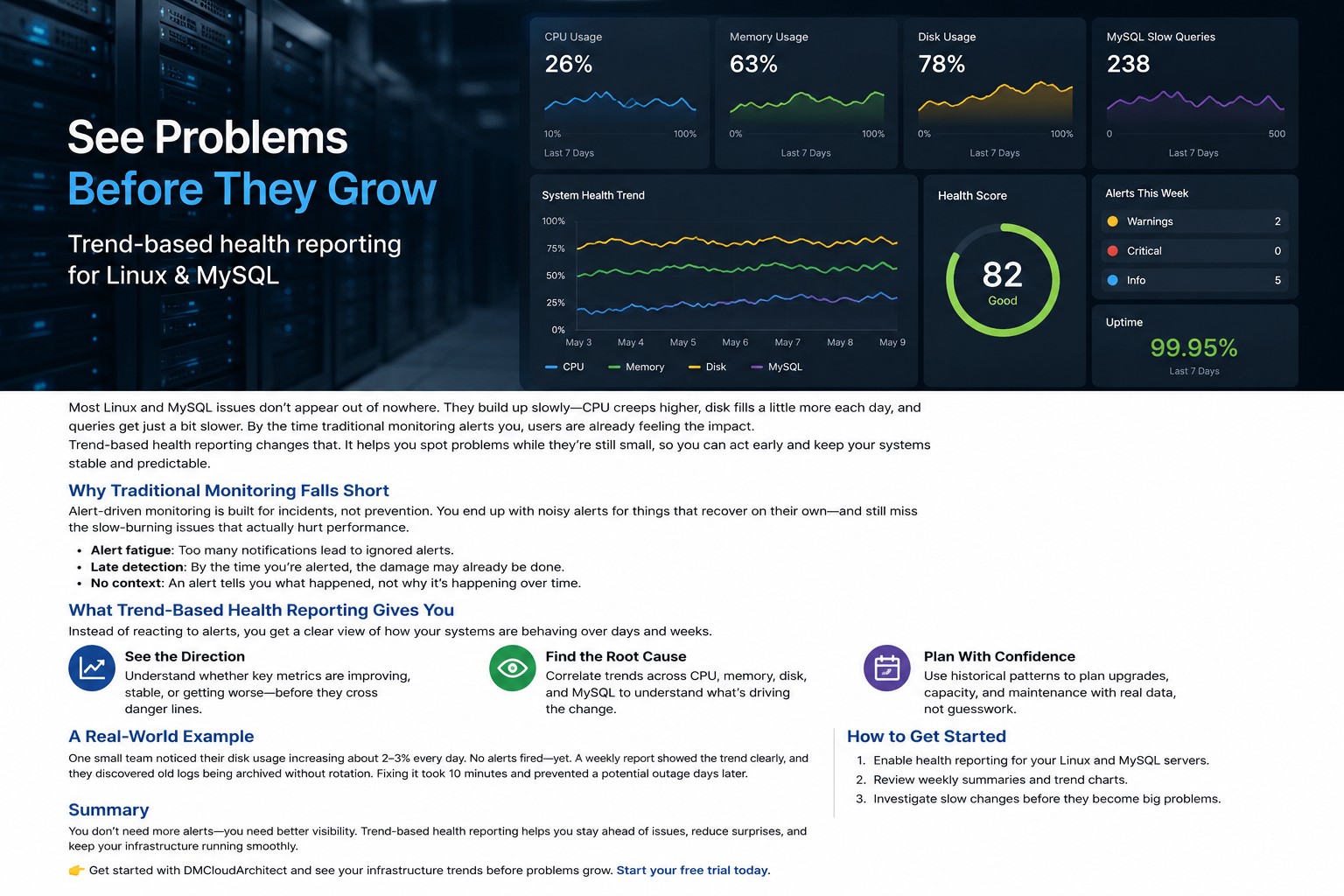
Static thresholds alone are imperfect. Trend-based monitoring usually catches gradual degradation earlier than hard alerts.

Real-World Example

A Linux database server may show only 78% CPU utilization, which looks acceptable at first glance. But if load average is climbing, query response times are increasing, and runnable processes are queueing, the system is already under stress. This is exactly why teams that want to detect performance degradation CPU issues early track saturation patterns instead of a single utilization number.

Summary

Effective CPU monitoring is less about reacting to 100% utilization and more about recognizing saturation before service quality drops. If you need a structured way to review server performance trends across infrastructure, explore Infrastructure Health Reporting for a practical operational approach.

About the Author
Mariusz Antonik

Oracle Cloud Infrastructure expert and consultant specializing in database management and automation.

All Tags
#Advanced #alerts #Bash #bash cpu monitoring script #bash monitoring #bash scripting #Beginner #Best Practices #block volume backup #Capacity Planning #cloud backup strategy #cpu bottleneck #CPU Monitoring #cpu monitoring linux #cpu monitoring script linux #cpu trends #cpu usage trends #cpu usage trends linux #create oracle db system in oci #cron cpu monitoring #cron cpu monitoring linux #cron jobs #database monitoring #database performance #detect slow queries mysql #devops #disk capacity planning server #disk forecasting linux #disk growth trend linux #Disk Monitoring #disk usage #disk usage script linux #disk usage trends #Early Detection #easy infrastructure monitoring #free-tier #Guide #health dashboards #Health Reporting #historical server monitoring #how to monitor cpu usage linux #infrastructure #infrastructure health #infrastructure health dashboard #infrastructure health reporting #infrastructure monitoring #infrastructure monitoring report #infrastructure trends #infrastructure trends monitoring #Infrastructure Visibility #lightweight linux monitoring #lightweight monitoring #linux #linux administration #linux cpu monitoring #linux cpu usage #linux disk capacity planning #linux disk usage #Linux monitoring #linux monitoring setup #linux monitoring tools #linux performance #linux performance monitoring #linux server #linux server monitoring #linux servers #linux storage #linux tools #low maintenance monitoring #monitor cpu usage over time linux #monitor linux server health #monitor server trends #monitor small production server #monitoring without complexity #MySQL #mysql health reporting #MySQL monitoring #mysql optimization #MySQL Performance #mysql performance degradation #mysql performance monitoring #mysql performance trends #mysql query performance issues #mysql server monitoring #mysql slow queries #mysql slow query analysis #mysql slow query monitoring #mysql trends #mysql-health #networking #nsg #OCI #oci backup #oci bastion tutorial #oci block volume #oci infrastructure as code #OCI monitoring #oci networking #oci oracle database private subnet setup #oci oracle database tutorial #oci security #oci setup guide #oci terraform tutorial #oci tutorial for beginners #oci vcn terraform #oci virtual machine db system guide #oracle base database service tutorial #oracle cloud bastion #oracle cloud free tier tutorial #oracle cloud infrastructure step by step #oracle cloud infrastructure tutorial #oracle cloud storage #oracle database on oci setup #oracle-cloud #Performance #Performance Degradation #performance monitoring #performance trend monitoring #performance trends #plan disk growth server #practical server monitoring #predict disk usage growth #private instance access #query optimization #Security #security lists #server health #server health reporting #server health weekly report #server monitoring #Server Performance #server trend analysis #server-trends #simple cpu monitoring linux #simple linux monitoring #simple monitoring small business #simple monitoring system #simple ops monitoring #slow queries #slow query reporting mysql #small business infrastructure #small business IT #small business servers #small infrastructure monitoring #small server monitoring #ssh bastion #storage capacity planning linux #storage monitoring #subnets #System Health #system health reporting #terraform oci compute #terraform oracle cloud infrastructure #Trend Monitoring #trend-analysis #trends #Tutorial #vcn