A patching tool earns production trust when it can answer three questions clearly: what changed, whether the server and its services recovered, and what the operator should do when something fails. Scheduling package updates is only one part of that job. The difficult work is controlling risk across different Linux distributions, maintenance windows, application dependencies, reboots, and reporting requirements.
For a small business or a developer managing a growing fleet, spreadsheets and scattered scripts often become unreliable before a full enterprise platform feels affordable. This checklist provides practical criteria for evaluating a new tool, improving an existing Ansible or shell workflow, or defining requirements before replacing the current process.
1. Build an authoritative server inventory
A patch job cannot be complete if the system does not know which machines exist. Inventory should identify every managed server, its owner, purpose, environment, Linux distribution, version, architecture, network zone, criticality, and normal maintenance window. It should also show when each host last checked in.
- Discover or import servers without creating duplicate records.
- Group systems by business service, not only by operating system.
- Record production, staging, test, and development separately.
- Mark retired, isolated, or temporarily excluded hosts explicitly.
- Flag agents or credentials that have stopped working.
Stale inventory is a security and reporting problem. A dashboard that shows 95 percent compliance may be misleading if five forgotten systems disappeared from the denominator. Reports should preserve evidence of missing and unreachable hosts rather than silently dropping them.
2. Define patch policy separately from execution
Operators need policy controls that describe what is allowed before the tool runs commands. A useful policy distinguishes routine bug fixes, security updates, kernel changes, major-version upgrades, third-party repositories, and packages held for application compatibility. It should make exclusions visible and time-limited.
Different services also need different risk rules. An internal development server may accept all updates weekly, while a revenue-producing database needs staged testing, a change record, a verified backup, and an approved window. The interface should show which policy applied to each host and why a package was installed, deferred, or excluded.
3. Check prerequisites before changing a server
A trustworthy patch run begins with prechecks. These should stop or defer work when conditions make success unlikely. At minimum, check connectivity, package-manager health, repository access, free disk space, inode capacity, pending reboots, time synchronization, failed services, and whether another package operation is already running.
df -hT
df -i
systemctl --failed --no-pager
systemd-detect-virt
uptime
journalctl -p warning..alert --since "24 hours ago" --no-pager
Application-specific checks matter more than generic host checks. A database patch window might require a recent successful backup, replication health, adequate replica lag, and confirmation that traffic can fail over. A web tier may require enough healthy nodes behind the load balancer to remove one node safely. Precheck results should be stored with the job, not discarded after a pass or fail.
4. Use rings and canaries instead of fleet-wide hope
A production-safe workflow rolls changes through small groups. Patch a representative canary first, observe it, then proceed through broader rings. The canary should resemble production closely enough to reveal repository, kernel, driver, service, and dependency problems.
- Test the proposed update set in a non-production environment.
- Patch one low-risk but representative canary.
- Run technical and application health checks.
- Wait through a defined observation period.
- Continue to the next ring only when the evidence passes.
- Pause automatically when failure thresholds are exceeded.
Administrators should be able to see and edit ring membership. Random batches can distribute risk, but they are not a substitute for understanding dependencies. Never patch every node of a clustered service simultaneously unless the service has been designed and tested for that operation.
5. Make maintenance windows and concurrency predictable
The scheduler should handle time zones, blackout dates, recurring windows, job duration, and missed windows. It should not start a two-hour operation with ten minutes remaining. When a server is offline during its window, the tool needs an explicit policy: defer to the next window, request approval, or run when the host returns.
Concurrency controls must work at several levels. Limit the number of servers patched globally, per site, per service, and per availability group. A batch size of ten may be safe across unrelated systems but dangerous if all ten are members of the same customer-facing cluster.
6. Treat reboots as controlled changes
Installing packages successfully does not mean the maintenance is complete. Kernel, library, firmware, and service changes may require a reboot or service restart. The tool should identify the requirement, follow the approved policy, wait for the server to return, and verify that the expected kernel and services are active.
- Distinguish required reboots from optional recommendations.
- Support approval gates for critical systems.
- Apply a realistic offline timeout.
- Detect a server that returns on the old kernel.
- Verify application endpoints, not merely SSH availability.
- Escalate boot failures without repeatedly cycling power.
Pre- and post-patch hooks are valuable only when their behavior is strict. Record standard output, standard error, duration, and exit code. Define whether a hook failure blocks the host, blocks the entire batch, triggers rollback, or requires manual review. Hidden best-effort scripts create false confidence.
7. Verify service health after each change
This is where Linux server monitoring and patch automation should meet. Package-manager exit code zero confirms that a command completed; it does not confirm that customers can use the service. Postchecks should compare the system with its pre-patch baseline and test the business function it provides.
- Critical systemd units are active and no new units have failed.
- Expected ports are listening on the correct interfaces.
- HTTP health endpoints return the expected status and content.
- Database connections, replication, and scheduled jobs work.
- Disk, memory, load, swap, temperature, and I/O remain reasonable.
- No new kernel, filesystem, driver, or out-of-memory errors appeared.
- External synthetic checks can complete a representative transaction.
systemctl --failed --no-pager
ss -lntup
journalctl -b -p warning..alert --no-pager
uname -r
curl --fail --silent --show-error https://service.example/health
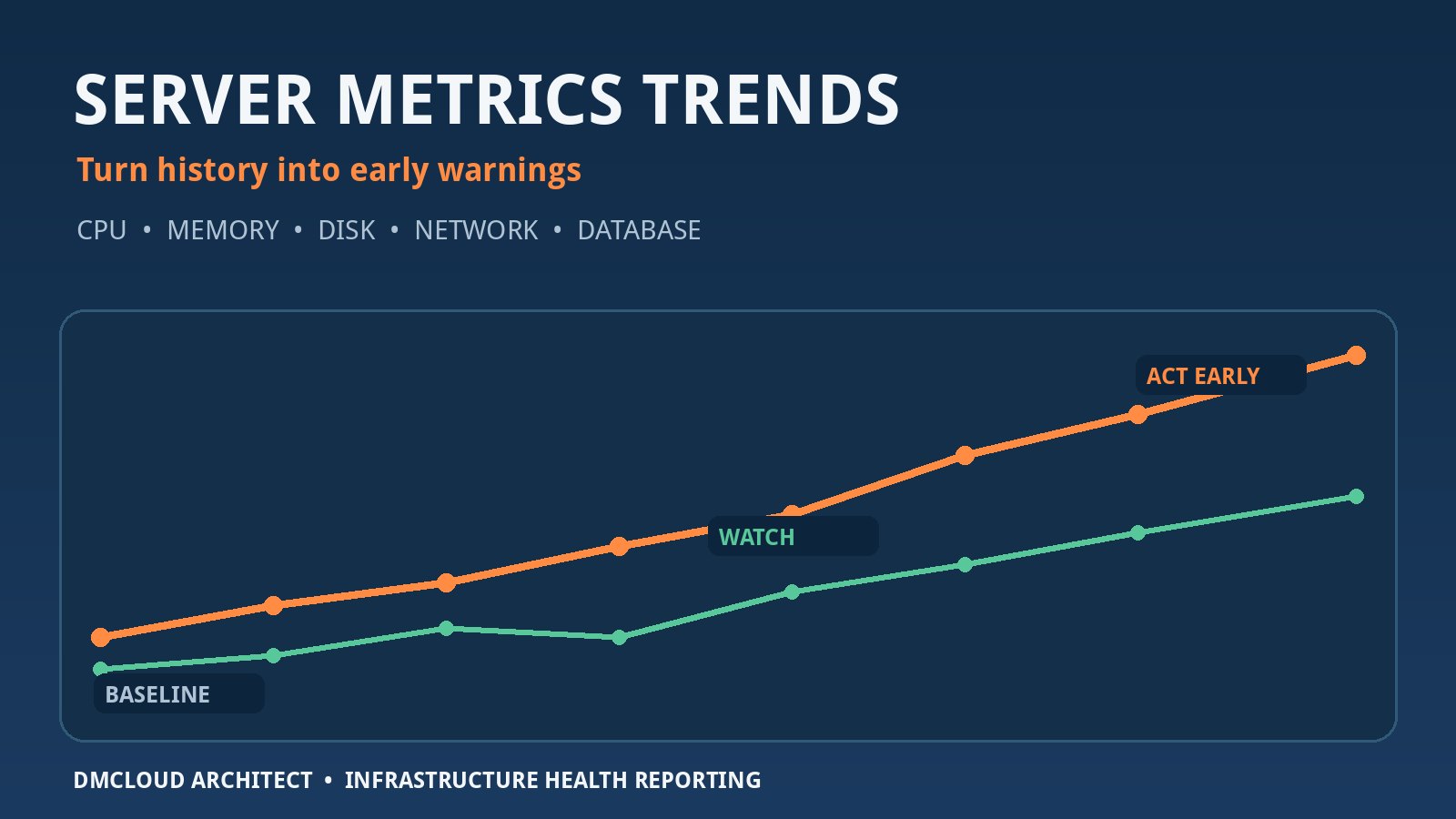
Keep the results with timestamps and host identity. Monitoring data from before and after the window makes it easier to distinguish a patch regression from a pre-existing issue. It also reveals slow degradation that a one-time pass/fail check misses.
8. Design failure states for operators, not dashboards
A failed label is not enough. The operator needs to know which stage failed, the last successful action, whether the host is reachable, whether services remain available, what output matters, and whether retrying is safe. Error messages should preserve the original package-manager or hook details while adding a concise explanation.
Retries need boundaries. Retrying a repository timeout may be reasonable; repeatedly rerunning a partially completed database hook may make damage worse. Use idempotent steps where possible, keep a per-host state machine, and require review for ambiguous partial success. A job should never become green simply because a failed host was removed from the view.
9. Provide a realistic rollback and recovery path
Linux package rollback is not universally reliable. Downgrading a package may not reverse a database migration, configuration change, firmware update, or altered application data. A credible tool should avoid promising one-click rollback unless that path has been tested for the specific workload.
Recovery may combine several methods:
- Repository snapshots or recorded package versions for controlled downgrades.
- Configuration backups and version control.
- VM or storage snapshots with known consistency limits.
- Application-aware database backups and tested restores.
- Traffic failover to an unchanged node or environment.
- Rebuild from an image or infrastructure-as-code definition.
The patch record should link to the applicable recovery procedure. Teams should test that procedure before relying on it during a short maintenance window.
10. Preserve evidence that can survive an audit
Compliance reporting should be based on immutable job evidence rather than the current dashboard state. Record who approved and launched the change, policy version, target list, timestamps, available updates, installed package versions, exclusions, reboots, hooks, health checks, failures, retries, and final disposition.
A useful report separates at least four outcomes: patched and verified, patched but verification failed, not patched because the host was unreachable or excluded, and pending a future window. This prevents an installation success from hiding an unhealthy application and prevents missing systems from looking compliant.
11. Secure the patching platform itself
A central patch tool has privileged access to many servers, making it a high-value target. Protect it as carefully as the systems it manages. Use least-privilege service accounts, strong administrator authentication, role-based access, encrypted transport, secret rotation, tamper-resistant logs, and network restrictions.
- Separate operators who define policy from those who approve production runs where practical.
- Do not expose raw SSH keys or passwords through job output.
- Sign or verify agent and update packages.
- Audit configuration changes and permission changes.
- Back up the platform database and test restoration.
- Define how patching continues if the central service is unavailable.
Multi-tenant designs need tested isolation for data, credentials, logs, reports, and job control. A tenant filter in the user interface is not enough if backend authorization can be bypassed.
12. Integrate without forcing a complete tool replacement
Many teams already use Ansible, Red Hat Satellite, SUSE Manager, Ubuntu Landscape, cloud management services, or custom scripts. A new platform is easier to trust when it can orchestrate or import evidence from existing tools instead of demanding an immediate migration.
Look for documented APIs, webhooks, export formats, identity integration, ticket links, and notification routing. Operators should be able to send failures to the correct team without flooding everyone. Notifications should include the affected service, severity, current state, and safe next action rather than only a job identifier.
13. Run a production-trust pilot
Do not evaluate a patch manager only with a polished demonstration. Run a limited pilot that includes normal updates and controlled failure scenarios. Use several supported distributions, a host with insufficient disk space, an unreachable server, a repository error, a failed hook, a reboot, and an application health-check failure.
Before expanding the rollout, confirm that the pilot can answer these questions:
- Can the team prove which servers were in scope and which were missing?
- Can policy prevent an unsafe package or out-of-window change?
- Does a failed precheck stop work before the server is modified?
- Can rings and concurrency protect clustered services?
- Does the tool verify application recovery after reboots?
- Are partial failures clear, durable, and safe to resume?
- Can an auditor reconstruct the full change without a spreadsheet?
- Can administrators recover when the patch platform itself is down?
The feature that persuades a team to switch is rarely another chart. It is confidence that the platform will reduce operational uncertainty: controlled scope, useful prechecks, staged rollout, honest failure handling, application-level verification, and evidence that remains trustworthy after the maintenance window closes.
Want weekly infrastructure checks without dashboard fatigue?
DMCloud Architect turns Linux and MySQL health signals into practical weekly reports, helping developers and small business owners spot capacity drift, failed services, backup risk, and recurring errors before the next maintenance window.
Get the free starter plan for weekly infrastructure health reports.