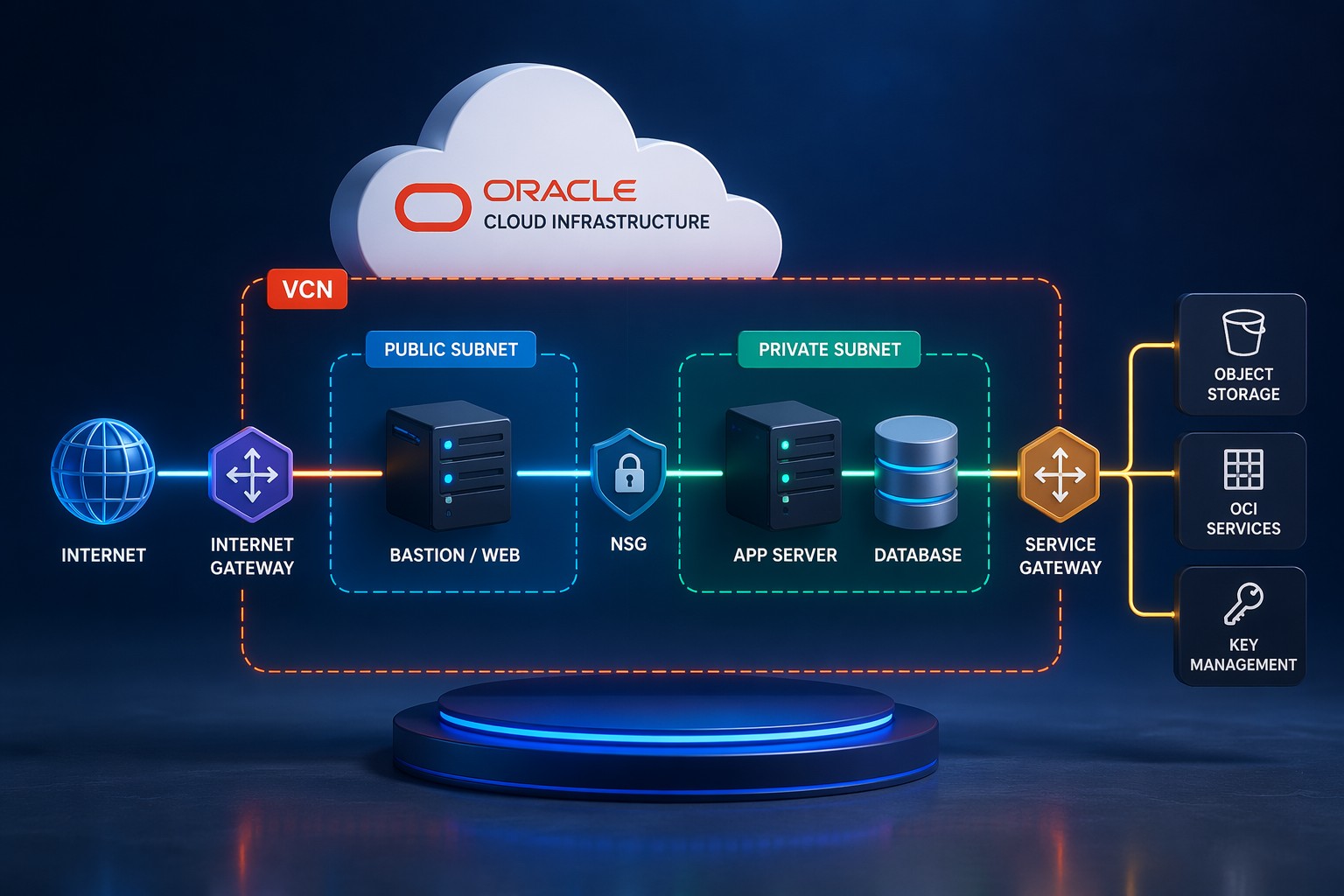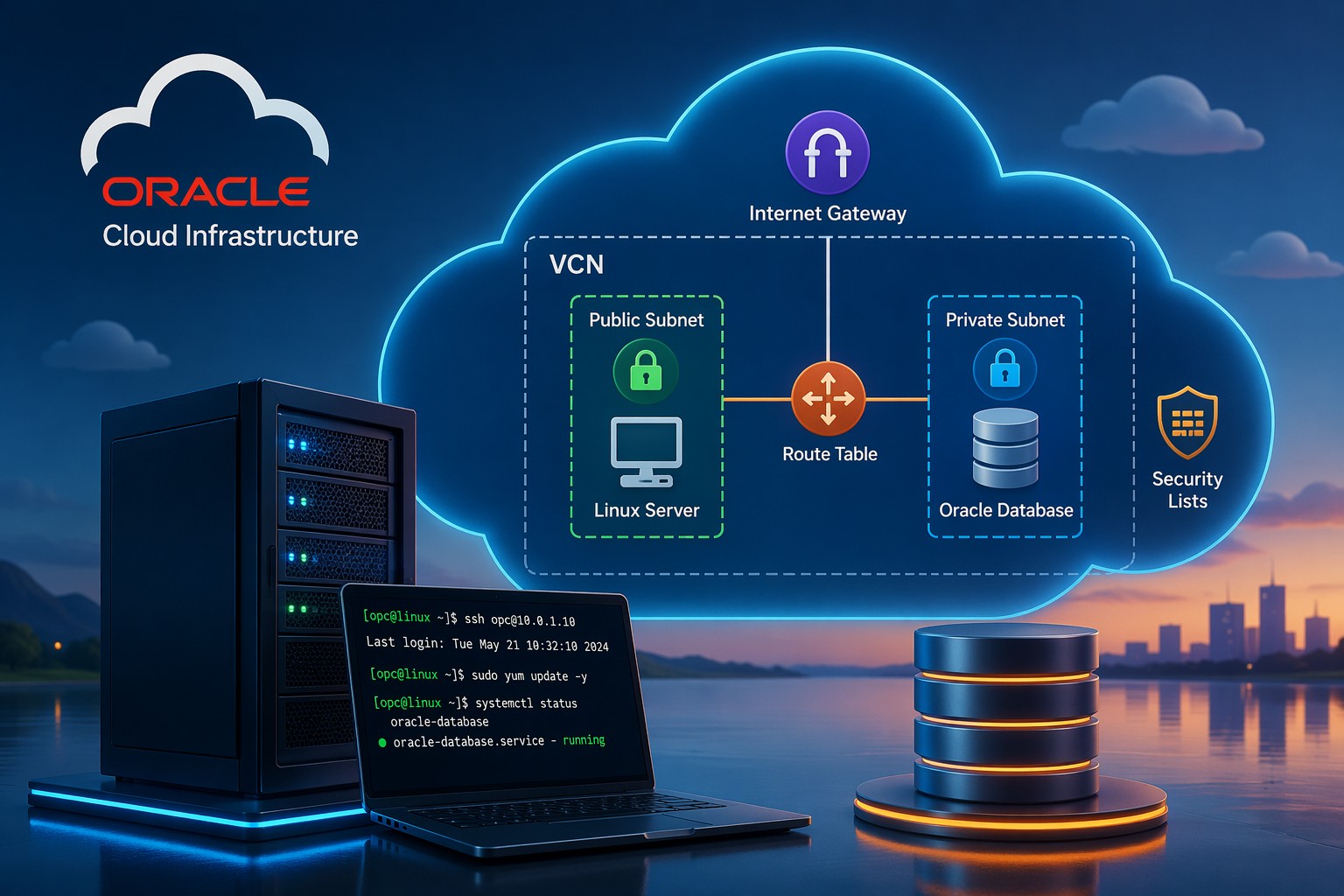
Building infrastructure manually in Oracle Cloud Infrastructure (OCI) works at first—but it quickly becomes inconsistent, hard to reproduce, and risky to maintain. If you've ever tried to recreate a Virtual Cloud Network (VCN), compute instances, or security rules from memory, you already know the problem.
This is where Terraform changes everything. Instead of clicking through the console, you define your infrastructure in code. That means repeatable deployments, version control, and a much cleaner way to scale your environment.
Why Terraform Matters for OCI
Terraform brings structure and predictability to your cloud setup. In OCI environments, especially for small teams or growing systems, this becomes critical.
- Consistency: Deploy the same infrastructure across dev, test, and production
- Speed: Launch full environments in minutes
- Version control: Track changes like application code
- Reduced errors: Avoid manual misconfigurations
But more importantly, it forces you to think about architecture before deployment—which leads to better designs.
How Terraform Works in Oracle Cloud Infrastructure
Terraform uses configuration files (written in HCL) to define OCI resources such as VCNs, subnets, compute instances, and gateways.
The basic workflow looks like this:
- Write your infrastructure configuration
- Initialize Terraform (
terraform init) - Preview changes (
terraform plan) - Apply configuration (
terraform apply)
OCI also supports Terraform natively through Resource Manager, which allows you to run Terraform jobs directly inside the cloud without managing local state files manually.
Step-by-Step: Creating a Basic OCI Setup with Terraform
1. Configure Provider
Start by defining the OCI provider with your credentials:
provider "oci" {
  tenancy_ocid     = var.tenancy_ocid
  user_ocid        = var.user_ocid
  fingerprint      = var.fingerprint
  private_key_path = var.private_key_path
  region           = var.region
}
2. Create a VCN
This is the foundation of your network:
resource "oci_core_vcn" "main_vcn" {
  cidr_block     = "10.0.0.0/16"
  compartment_id = var.compartment_id
  display_name   = "main-vcn"
}
3. Create Subnet
resource "oci_core_subnet" "public_subnet" {
  cidr_block     = "10.0.1.0/24"
  compartment_id = var.compartment_id
  vcn_id         = oci_core_vcn.main_vcn.id
  display_name   = "public-subnet"
}
4. Launch Compute Instance
resource "oci_core_instance" "web_server" {
  availability_domain = var.ad
  compartment_id      = var.compartment_id
  shape               = "VM.Standard.E2.1.Micro"

  create_vnic_details {
    subnet_id = oci_core_subnet.public_subnet.id
  }
}
This simple setup already gives you a repeatable environment you can deploy anytime.
Common Mistakes to Avoid
Terraform is powerful—but small mistakes can cause real issues in OCI environments.
- Hardcoding values: Always use variables for flexibility
- Ignoring state management: Use remote state (OCI Resource Manager or backend storage)
- No modular design: Break configurations into reusable modules
- Skipping plan review: Always review
terraform planbefore applying
Here’s the thing—most problems don’t come from Terraform itself. They come from unclear architecture decisions.
When to Use OCI Resource Manager
If you don’t want to manage Terraform locally, OCI Resource Manager is a solid option.
- Runs Terraform jobs directly in OCI
- Handles state automatically
- Integrates with IAM and compartments
It’s especially useful for teams that want infrastructure as code without managing additional tooling.
Real-World Use Case
Imagine deploying a production-ready environment with:
- VCN with public and private subnets
- Internet Gateway and route tables
- Compute instances for application servers
- Database system in a private subnet
With Terraform, this entire setup can be versioned, reviewed, and deployed in a controlled way. If something breaks, you don’t rebuild manually—you redeploy cleanly.
Summary
Terraform in Oracle Cloud Infrastructure isn’t just about automation—it’s about building reliable, repeatable systems. Once you move away from manual setup, your infrastructure becomes easier to scale, maintain, and troubleshoot.
If you’re planning to implement Terraform in OCI or want to avoid common design mistakes early, it helps to have a clear architecture strategy from the start. Get OCI setup and ongoing support to build your environment correctly and keep it running smoothly.