A progressive web app can work perfectly from a hosted domain and still fail when you move it to a Linux laptop hotspot. The common symptom is frustrating: phones and tablets can reach the app by IP address, but the browser shows a certificate warning, the service worker will not install, and offline mode never becomes reliable.
The root issue is usually not the PWA code. Service workers require a secure, trustworthy origin. A raw hotspot IP address with a warning is not trustworthy enough, and a certificate generated for the wrong name does not help. Treat the laptop like a small field server: give it a stable name, serve a certificate that matches that name, install the right trust chain on client devices, and add simple linux server monitoring so you know the field setup is healthy before users depend on it.
Why the IP address works but offline mode does not
Browsers intentionally make service workers stricter than ordinary page loads. You may be able to click through a certificate warning and view the app, but that does not mean the origin is acceptable for installing a service worker, caching assets, or enabling installable offline behavior. The browser needs the app to load from a valid secure context.
On a hosted website, the pieces are already aligned: DNS points to the server, the certificate is issued for that domain, and mobile devices trust the public certificate authority. On a laptop hotspot, those assumptions disappear. Mobile devices may only know the laptop as an IP address, the certificate may only be trusted by the laptop itself, and the hotspot may not provide local DNS in the way you expect.
The field-server checklist
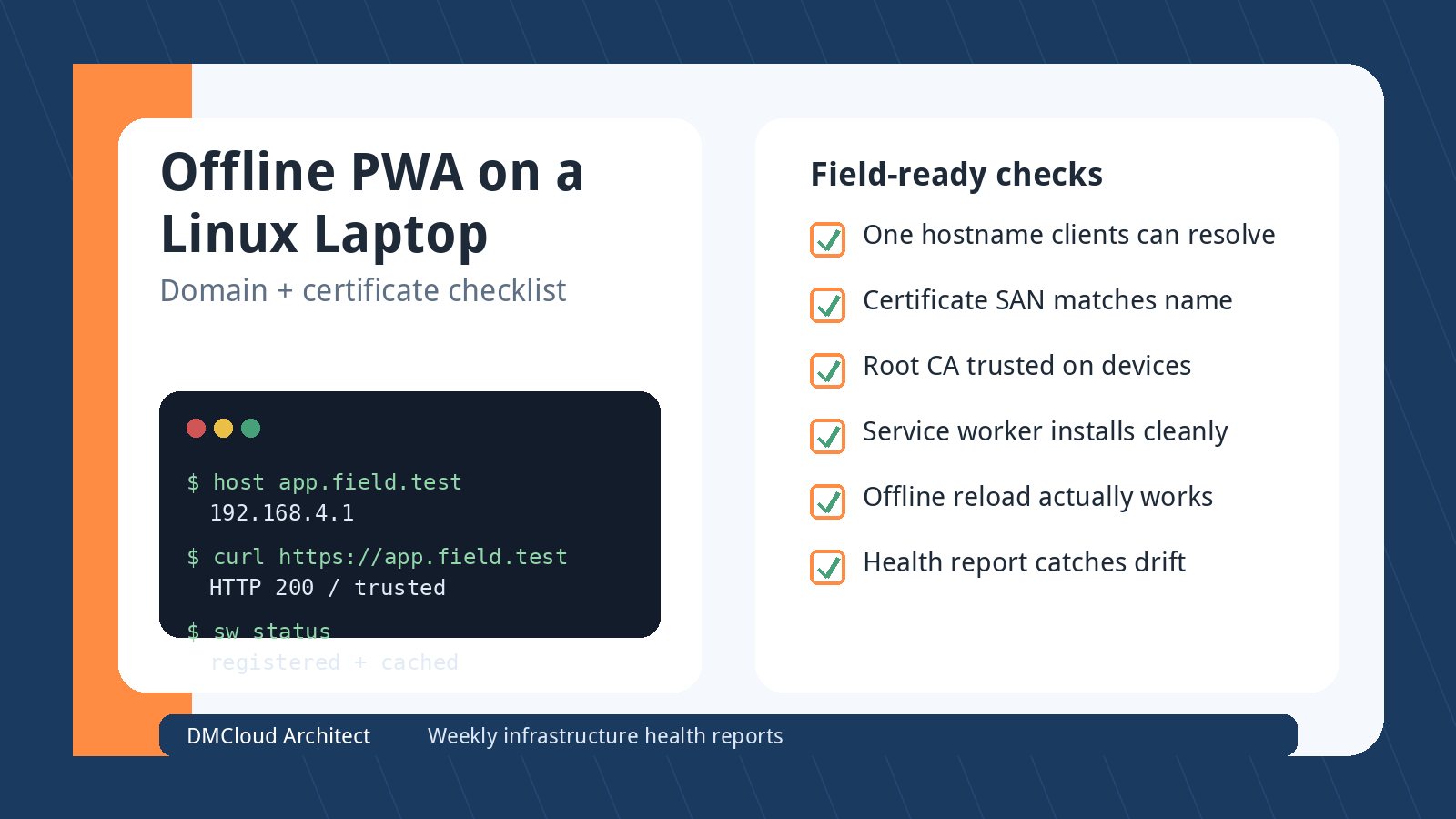
Before changing application code, walk through the environment as infrastructure. The goal is simple: every mobile device should open the same HTTPS hostname, see no certificate warning, load the service worker, and keep working after the internet connection disappears.
- Pick one hostname: choose a name such as
app.field.test,pwa.local.example.com, or another domain you can control and document. - Make mobile devices resolve that name: do not rely on the laptop browser's hosts file; iPads and Android devices need their own DNS answer.
- Issue the certificate for the hostname: the certificate must include the exact hostname in its Subject Alternative Name, and optionally the hotspot IP if you also want IP access for diagnostics.
- Trust the issuing CA on each device: mkcert is convenient, but its local root CA must be installed and explicitly trusted on the phones and tablets that will use the app.
- Serve HTTPS consistently: redirect HTTP to HTTPS only after the HTTPS path is confirmed clean, or debugging becomes confusing.
- Verify service-worker registration: use browser developer tools or remote debugging where possible, then confirm the app loads after toggling the uplink off.
- Monitor the laptop like a server: track CPU load, disk space, service status, hotspot interface state, and certificate expiry so field failures are not surprises.
Option 1: local DNS on the hotspot
The most self-contained approach is to make the laptop provide DNS to the hotspot clients. Tools such as NetworkManager, dnsmasq, systemd-resolved, or a small travel-router-style setup can hand out an address for your chosen app hostname. The important point is that the mobile devices must ask a DNS server that knows the laptop's name.
This is where many setups stall. Adding a line to /etc/hosts on the laptop only helps the laptop. It does not teach an iPad or Android tablet that app.field.test should resolve to the hotspot address. You need DHCP/DNS settings, a local DNS forwarder, or a small router that gives the clients the right resolver.
After DNS is in place, test from the client device, not only from the server:
- Join the laptop hotspot.
- Open
https://your-chosen-namefrom the mobile browser. - Confirm the address bar shows no certificate warning.
- Check that the service worker is registered.
- Disconnect any upstream internet and reload the app.
Option 2: use a real domain with local resolution
If you own a domain, you can use a subdomain for the field app and make local DNS resolve it to the laptop while the hotspot is active. This keeps the hostname realistic and avoids training users to type a temporary test name. A certificate can be issued while the laptop is online and reused offline until it expires.
For environments that are often offline, DNS-01 certificate validation is especially useful because it proves domain control through DNS rather than requiring the laptop to be reachable from the public internet. Once issued, the certificate still has an expiry date, so your runbook should include renewal before field work. A stale certificate will break the same secure-origin requirement that caused the original problem.
Option 3: mkcert with mobile trust installed correctly
mkcert can work well for a controlled set of devices, but it is not magic. It creates a local certificate authority and certificates that are trusted only by devices where that CA has been installed and trusted. The laptop trusting the mkcert CA does not mean nearby mobile devices trust it.
For iOS and iPadOS, installing a profile is not always enough; the certificate authority also needs to be enabled for full trust in certificate settings. On Android, the exact flow varies by version and browser, and some managed devices restrict user-installed CAs. If this is for a business workflow, test the actual managed devices, not only a personal phone.
When generating the certificate, include every name the client might use. A cert for localhost will not validate for 192.168.4.1 or app.field.test. A cert for the IP address will not solve your clean-hostname goal unless the browser is actually visiting the IP address and the SAN includes that IP.
What to check when the service worker still refuses to install
If DNS and certificates look correct but offline still fails, check the PWA layer next. Start with the browser console and the service-worker registration result. Common causes include mixed content, a service-worker script served with the wrong MIME type, caching paths that assume the hosted domain, redirect loops, missing manifest assets, or a scope mismatch between the app path and the service-worker file.
- Secure origin: no certificate warning and no mixed HTTP assets.
- Correct scope: the service worker should control the pages you expect it to cache.
- Cache list: make sure the offline shell, icons, CSS, JavaScript, and key routes are cached.
- Network fallback: decide which requests should fail gracefully when the uplink is gone.
- Storage limits: large assets or databases can run into mobile browser storage behavior.
- Version updates: provide a way to refresh the cached app when the laptop reconnects later.
Add small-server monitoring before field use
A laptop hotspot that serves a PWA is still a production dependency during the event, shop visit, warehouse shift, or field job. Lightweight monitoring is enough, but skipping it leaves you blind. At minimum, record whether the web service is running, whether HTTPS responds on the chosen hostname, whether the hotspot interface is up, and whether disk space is available for browser sync data, logs, uploads, or local databases.
Weekly or pre-event infrastructure reporting is useful here because the failure modes are quiet until a user is standing in front of the device. Certificate expiry, a changed hotspot subnet, a disabled DNS service, full disk, or an accidentally stopped web server can all be caught before the laptop leaves the office. That is a better fit for a scheduled report than for someone remembering to stare at a dashboard every morning.
A practical rollout plan
- Choose the hostname: use a name you can explain and reuse.
- Configure hotspot DNS: prove that phones and tablets resolve the hostname to the laptop IP.
- Create the certificate: include the hostname in the SAN and use a CA the devices will trust.
- Install trust on real devices: verify the exact iPad, Android, or managed-device fleet you will use.
- Test HTTPS first: do not debug the service worker until the browser shows a clean secure connection.
- Test offline behavior: load the app, register the service worker, disconnect the uplink, then reload and complete a real workflow.
- Document renewal and startup: include certificate renewal, DNS service startup, hotspot commands, and rollback steps.
- Monitor the basics: add linux server monitoring for uptime, disk, CPU, service status, DNS response, and certificate expiry.
Bottom line
For an offline PWA on a Linux laptop, the winning pattern is not “use mkcert” or “use the IP address.” The winning pattern is a clean trusted origin that mobile devices can resolve and trust every time. Once that foundation is stable, the service worker can do its job, and your monitoring can catch the small infrastructure issues before they interrupt a field workflow.
Want weekly infrastructure health checks without dashboard fatigue?
DMCloud Architect sends Linux and MySQL infrastructure health reports directly to your inbox, so you can spot risks early without adding another monitoring dashboard to watch.
Get the free starter plan for weekly infrastructure health reports.