Running out of disk is one of those infrastructure problems that feels sudden, even when the server has been warning you for weeks. A log directory grows faster than expected, backups stack up, a database table expands after a new feature launch, and then an ordinary deploy fails because the filesystem is full.
The practical fix is not just a louder alert at 90%. It is a small capacity planning habit: measure the trend, calculate the growth rate, and review enough history to make a calm decision before the server becomes urgent.
Why disk percentage alone is a weak signal
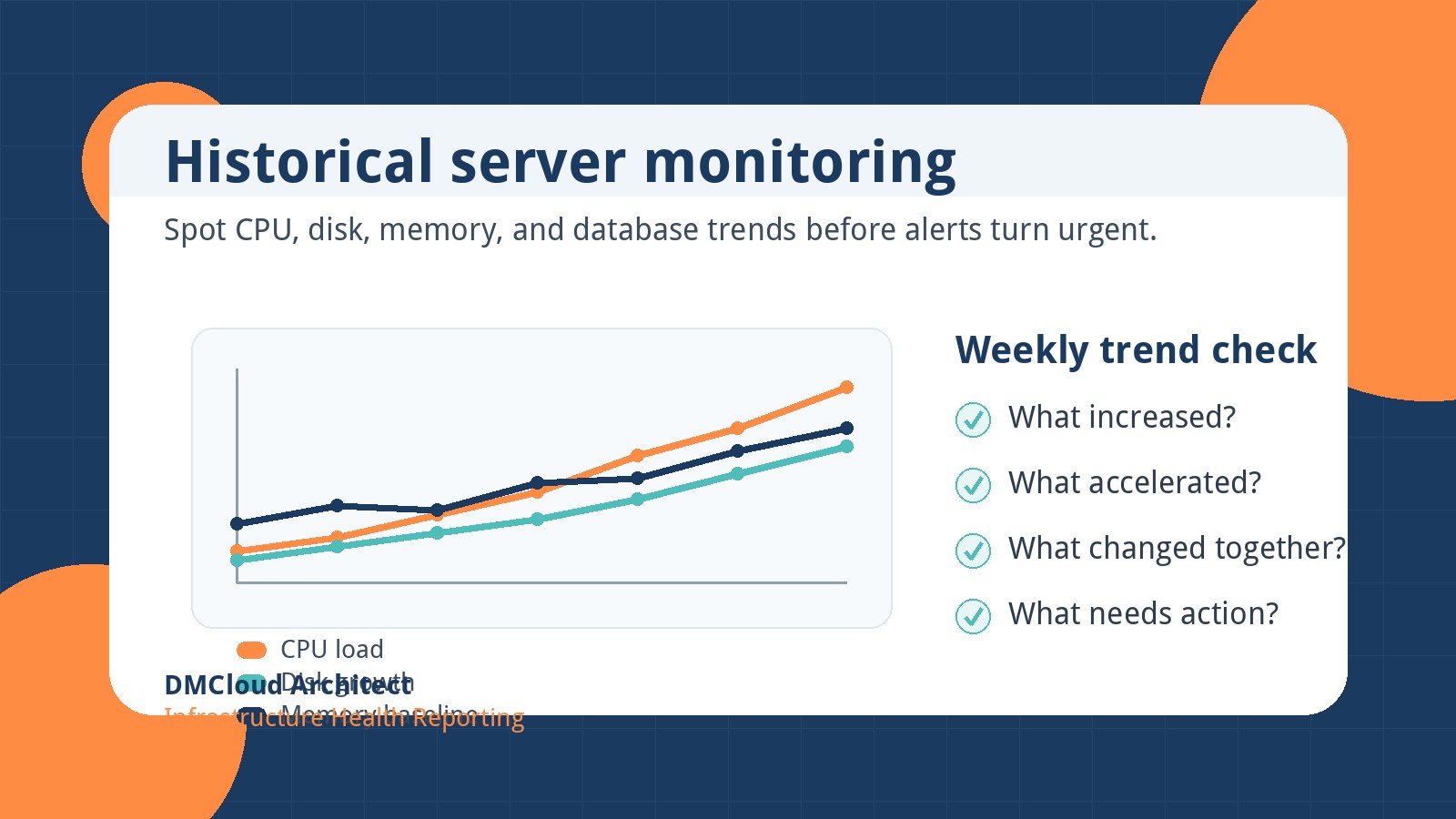
A server at 72% disk usage may be perfectly healthy if it has been stable for months. Another server at 55% may be risky if it gained 15 percentage points in the last week. The number that matters most is the combination of current usage, available space, and rate of change.
That is why linux disk capacity planning should include both a snapshot and a trend. The snapshot tells you where you are today. The trend tells you how quickly today is turning into a support ticket.
Start with a simple weekly baseline
Begin by recording filesystem usage at the same time each week. For many small teams, a weekly check is enough to reveal whether storage is stable, seasonal, or accelerating.
df -h

df -P | awk 'NR>1 {print $6, $5, $4}'
The first command is easy to read during an interactive check. The second produces a more script-friendly view of mount point, percent used, and available space. Keep the output in a report, ticket, spreadsheet, or monitoring note so you can compare it against previous weeks.
If you only track one filesystem at first, track the one that carries the highest business risk. On a web app that may be /var or the application upload volume. On a database host it may be the data directory mount. On a backup server it may be the target volume that quietly grows every night.
Estimate the growth rate
Once you have two or more measurements, calculate how much space changed between checks. The rough version is simple:
weekly_growth_gb = used_gb_this_week - used_gb_last_week
weeks_remaining = free_gb_now / weekly_growth_gb
If a filesystem has 160 GB free and is growing by 20 GB per week, you have about eight weeks before it is full. In reality, you should act much earlier because growth is rarely perfectly linear and cleanup work often competes with product work.
For disk forecasting linux workflows, use a rolling average rather than a single week. A three- or four-week average smooths out temporary spikes from one-time imports, failed cleanup jobs, or unusually heavy traffic.
Separate normal growth from abnormal growth
Not every increase deserves the same response. Storage growth usually falls into one of four buckets:
- Expected business growth: more users, more uploads, more transactions, or more retained history.
- Operational accumulation: logs, build artifacts, old releases, package caches, and temporary files.
- Backup or replication behavior: retained snapshots, binary logs, dumps, or copied data.
- Bug-driven growth: runaway logs, repeated exports, failed rotations, or duplicate files.
This classification matters because the fix is different. Expected growth may require a larger volume or storage lifecycle plan. Operational accumulation may need retention rules. Bug-driven growth needs root-cause work, not just more disk.
Check the biggest directories before buying more storage
Before expanding a volume, identify what is actually growing. These commands are useful starting points:
sudo du -xh /var | sort -h | tail -20

sudo du -xh /home | sort -h | tail -20

sudo journalctl --disk-usage
Use -x with du to stay on the same filesystem. That prevents a check of one mount from accidentally walking into another mounted volume and confusing the results.
For a database server, also review binary log retention, slow query logs, temporary files, and backup destinations. For a web server, check access logs, application logs, upload directories, image transformations, and old deployment releases.
Create action thresholds based on days remaining
Traditional disk alerts often trigger at fixed percentages such as 80%, 90%, and 95%. Those are still useful, but they are not enough for disk capacity planning server operations. A better approach combines percentage used with estimated time remaining.
- Review: less than 90 days remaining or more than 5% growth in one week.
- Plan: less than 45 days remaining or repeated weekly growth above the normal baseline.
- Act: less than 21 days remaining, 85% usage with growth, or any critical mount above your safety threshold.
These thresholds give you room to make a clean decision. You can remove old files, adjust retention, resize storage, archive data, or schedule maintenance before customers feel the problem.
Watch for growth that hides in plain sight
Some disk problems are easy to miss because the server still looks healthy in a quick dashboard view. Pay special attention to these patterns:
- A filesystem that grows every day but drops after manual cleanup.
- A log directory that grows faster after a release.
- A backup folder that contains more historical copies than the policy requires.
- A database host where binary logs are retained longer than expected.
- A small root volume that fills with package caches, crash dumps, or container layers.
These issues are common because they are not always application bugs. They are often maintenance gaps. A weekly infrastructure health report can make them visible without asking someone to inspect every directory manually.
Turn the forecast into a decision
When you plan disk growth server capacity, avoid treating every forecast as a storage purchase. Use the forecast to decide which path is safest:
- Clean up: remove old logs, stale releases, expired exports, and unused packages.
- Reduce growth: shorten retention, compress archives, or move generated files to object storage.
- Expand capacity: resize the volume when growth is legitimate and recurring.
- Change architecture: separate uploads, backups, databases, and logs onto different storage when one workload creates risk for the others.
The best answer is often a mix. For example, you might clean up a runaway log immediately, shorten retention this week, and schedule a storage expansion before the next traffic campaign.
A lightweight weekly checklist
Here is a practical checklist you can use for storage capacity planning linux servers:
- Record disk usage for important mount points.
- Compare usage with the previous week and the four-week average.
- Estimate days or weeks remaining for growing filesystems.
- Review the largest directories on any mount with unusual growth.
- Check log rotation, backup retention, and database log retention.
- Create an action item for anything inside your planning window.
This does not need to be complicated. The goal is to make storage risk visible early enough that your team can act during normal working hours instead of during an outage.
Summary
Disk capacity issues rarely arrive without clues. If you track weekly usage, estimate the growth rate, and review days remaining, you can spot risky storage trends well before a filesystem is full. That small habit helps developers and small business owners prevent avoidable downtime, failed backups, broken deploys, and emergency cleanup sessions.
Want weekly infrastructure health checks without dashboard fatigue?
DMCloud Architect sends Linux and MySQL infrastructure health reports directly to your inbox, so you can spot risks early without adding another monitoring dashboard to watch.
Get the free starter plan for weekly infrastructure health reports.